Home/Examples

Curated App Store screenshot examples

Best App Store Screenshot Examples

Compare ScreenKit's strongest screenshot templates by category, visual strategy, store context, and conversion pattern. Each example is editable, so you can start from the layout instead of rebuilding App Store screenshots from a blank canvas.

Ranked examples

Pick the screenshot style that matches your app

These are not generic inspiration boards. They are editable ScreenKit examples with real category direction, screenshot counts, and ready-to-use template entry points.

#1
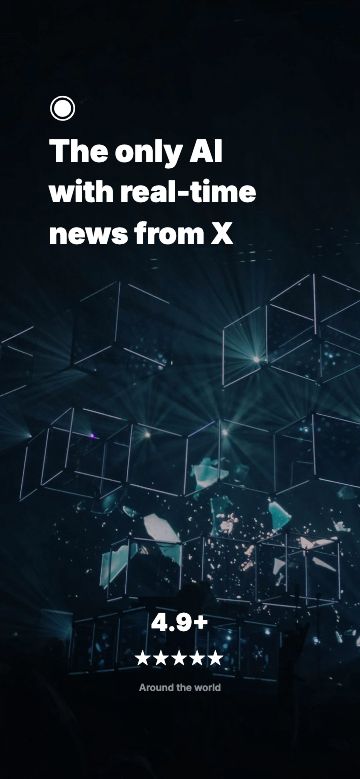
AI Productivity App Store screenshot example preview
AI and productivity8 screens

AI Productivity

Best for assistant, chat, automation, and workflow apps

Why it works

The dark frame, bold first headline, and visible prompt-to-answer flow make the product value obvious before a visitor reads the app description.

Store and device context

8-screen App Store and Google Play set; works well for large iPhone, Android phone, and localized launch variants.

First-screen clarityReadable dark contrastWorkflow proof
#2
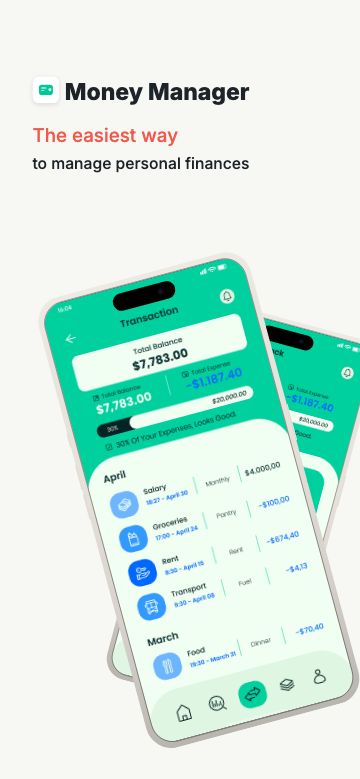
Finance / Budgeting App Store screenshot example preview
Finance and budgeting8 screens

Finance / Budgeting

Best for budgeting, wallet, expense tracker, and subscription apps

Why it works

Finance screenshots need trust fast. This example leads with clean metrics, balanced whitespace, and chart-heavy UI that still stays readable at thumbnail size.

Store and device context

8-screen App Store and Google Play set; built for iPhone screenshots with adaptable Android and iPad exports in ScreenKit.

Metric hierarchyTrust cuesLarge product UI
#3
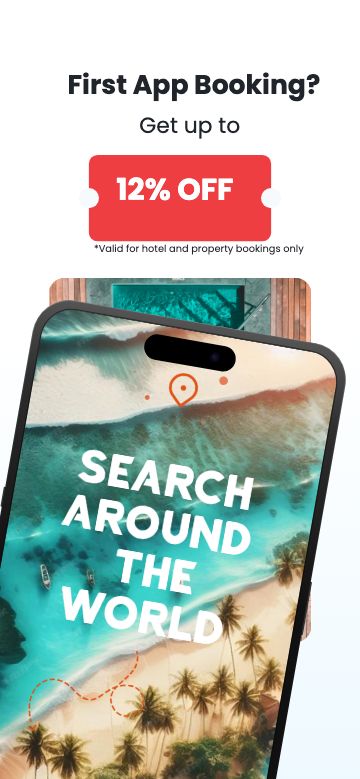
Travel Planner App Store screenshot example preview
Travel and booking8 screens

Travel Planner

Best for trip planners, hotel, flight, itinerary, and AI travel apps

Why it works

The set turns a multi-step booking product into a simple store story: discover, compare, save, book, and manage the trip after purchase.

Store and device context

8-screen App Store and Google Play set; strong fit for iPhone app screenshot examples that need lifestyle context plus real UI.

Category fitSequential storyBenefit badges
#4
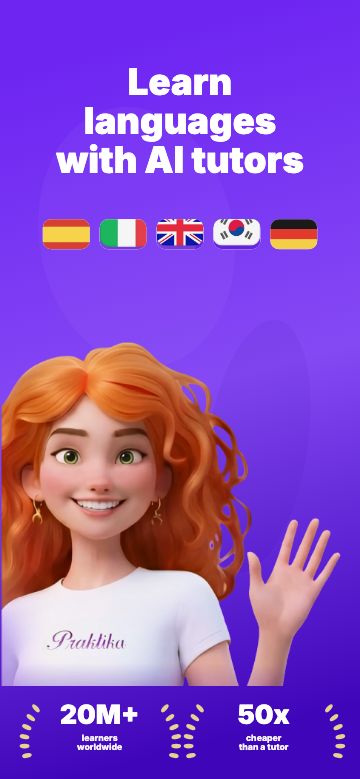
Language Learning App Store screenshot example preview
Education and language learning8 screens

Language Learning

Best for tutor, quiz, vocabulary, flashcard, and lesson apps

Why it works

Playful color, tutor-style visuals, and progress moments make the app feel approachable while keeping the lesson screens front and center.

Store and device context

8-screen App Store and Google Play set; designed for screenshot headline localization across learning markets.

Friendly emotionProgress proofLocalization room
#5
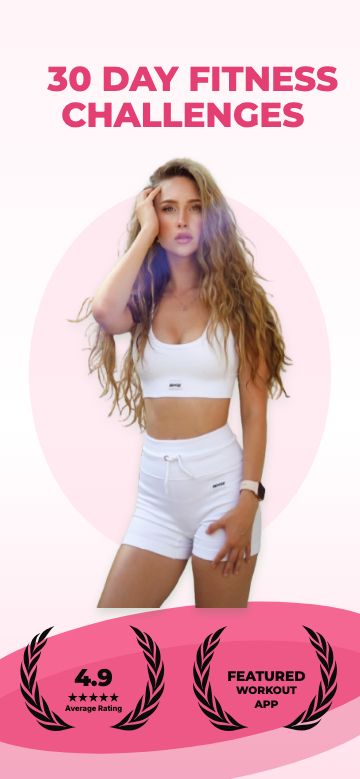
30 Day Fitness Challenge App Store screenshot example preview
Fitness and health7 screens

30 Day Fitness Challenge

Best for workout, challenge, coaching, progress, and habit apps

Why it works

Fitness listings win when they show momentum. This example uses a clear challenge promise, progress screens, and social proof without hiding the app UI.

Store and device context

7-screen App Store and Google Play set; useful for iPhone, Android, and performance-focused health app screenshots.

MotivationSocial proofProgress story

Design patterns

What the best App Store screenshot examples have in common

Conversion-focused app screenshot examples are specific. They make the first screen easy to understand, show enough product UI to build trust, and let the category shape the visual style.

Lead with one clear promise

The strongest first screenshot explains the main outcome in a short headline and backs it with real app UI.

Keep product screens inspectable

Decorative backgrounds help, but the actual interface should stay large enough to understand in App Store search and product pages.

Match the category

Finance needs trust, fitness needs momentum, education needs progress, and AI apps need clear workflow proof.

Make the set tell a sequence

Great app screenshot examples usually move from promise to workflow to result, instead of repeating one claim six times.

Leave room for localization

Short, stable headline areas make it easier to create iPhone app screenshot examples for more languages later.

Export from store-ready sizes

Start with accepted App Store screenshot dimensions so the final art does not break during App Store Connect upload.

From example to export

Use an example as the starting point, not the finish line

The strongest App Store screenshot examples work because the structure is already doing the hard parts: hierarchy, device framing, category tone, and export-safe sizing. In ScreenKit, you keep that structure and replace the demo content with your own app screens, headline copy, colors, and localized variants.

Compare examples by category

AI, finance, travel, education, and fitness examples use different visual strategies because their users need different proof.

Keep every layer editable

Start with a template, then update screenshots, copy, colors, and export sizes without flattening the design into a one-off image.

Create App Store screenshots with ScreenKit

Choose a proven example, swap in your real product screens, and export store-ready iPhone, iPad, and Google Play screenshot sizes from the same editor.